
Klara
Visual Focus Timer for iPhone
A simple visual timer that makes remaining time easy to see. Use Klara for focused work, studying, reading and everyday tasks.
What Klara Is
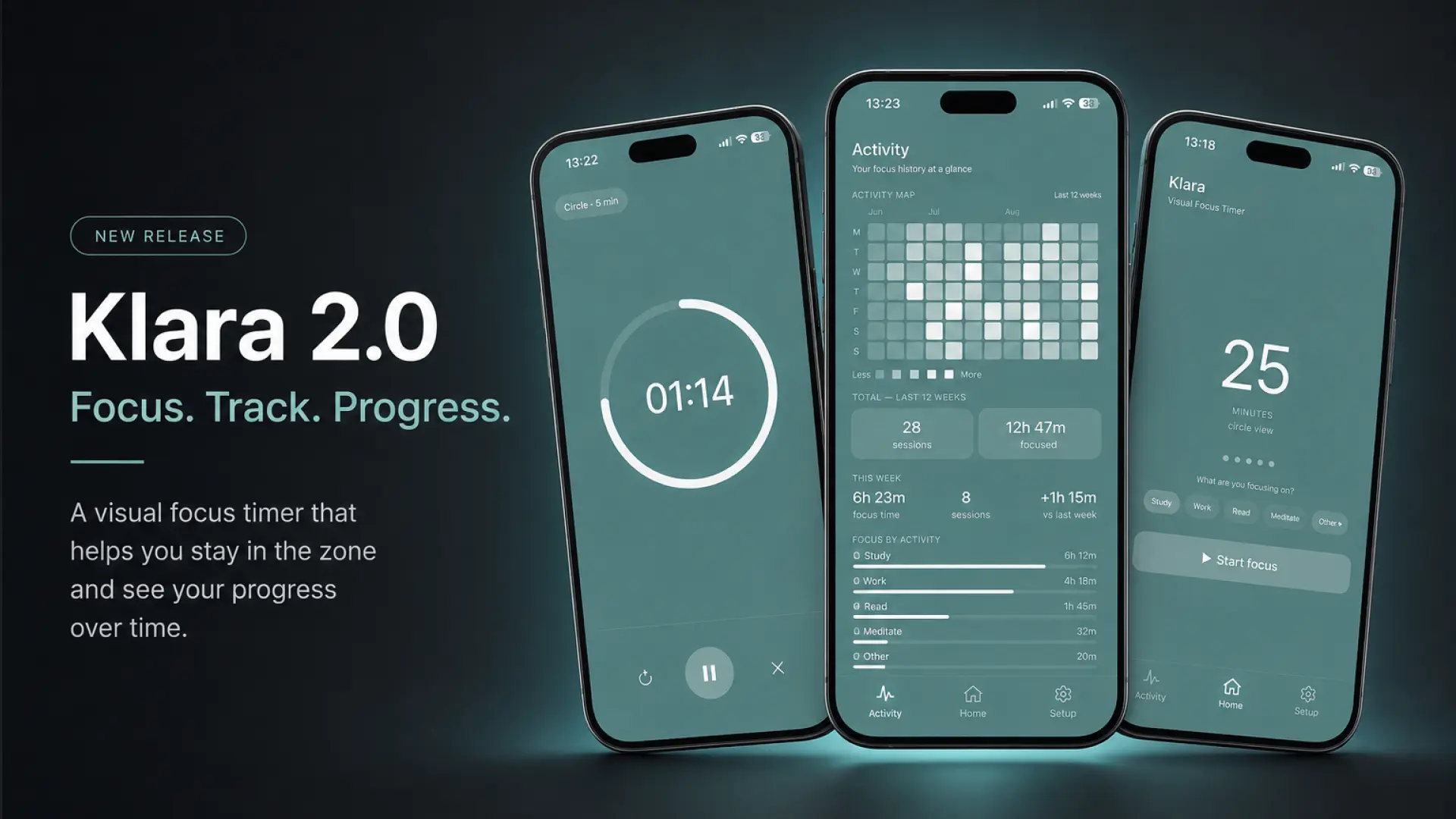
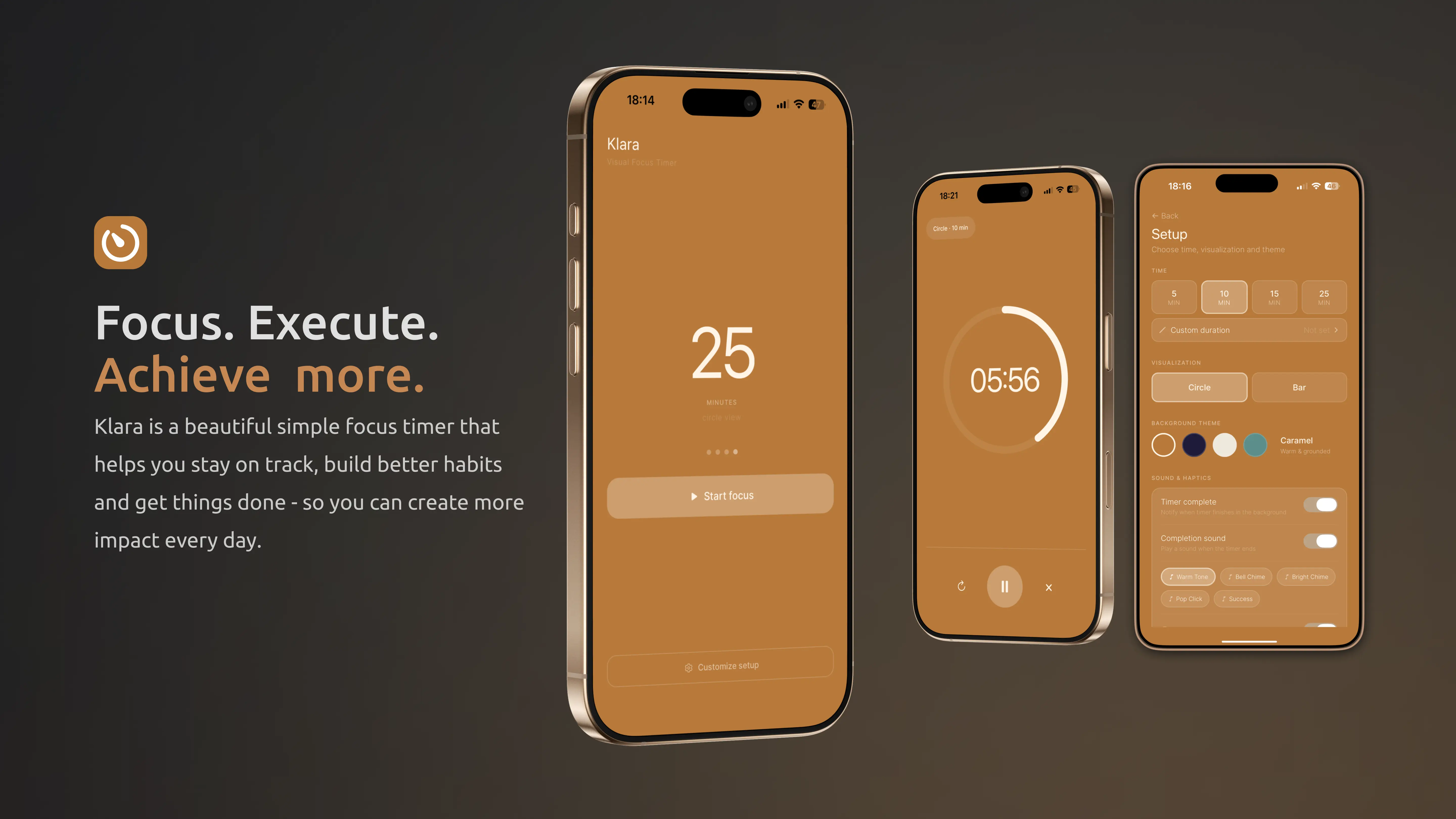
Klara is a visual focus timer for iPhone. Instead of only counting down in numbers, it shows the remaining time as a shrinking circle or progress bar.
Pick a duration, start the timer, and keep working, studying or focusing on whatever's in front of you — Klara counts down visually in the background and notifies you when the session ends.
Timer lengths are flexible up to 180 minutes, each session is followed by an automatic break timer, and everything runs offline with no account required.
Key Features
- Visual Time AwarenessSee exactly how much time is left through a shrinking circle or progress bar.
- One-Tap Focus SessionsStart a focus session instantly with zero setup or distractions.
- Flexible Timer LengthsChoose quick sessions or create a custom focus timer up to 180 minutes.
- Automatic Break TimerEach session is automatically followed by a break timer.
- Keeps Running in the BackgroundKeeps counting when you switch apps, with a notification when it ends.
- Simple ForeverNo accounts, subscriptions or ads — just a simple visual timer.
See Time Differently
Klara turns a traditional countdown into something you can see.
Choose your time, start a focus session and watch the remaining time visually decrease as you work, study or focus on what matters.
No complicated setup. Just start the timer and focus.
Made to Keep Focus Simple
See the remaining time through Klara's visual timer instead of relying only on changing numbers.
Use Klara for focused work, studying, reading, creative sessions or everyday tasks.
No accounts, subscriptions or ads. Open Klara, choose your time and start.
More Than Numbers Counting Down
A normal timer tells you the time.
Klara lets you see it.
Watch the visual countdown change as your session progresses and understand at a glance how much time remains.
Start Focusing in Seconds
Choose Your Time
Pick a preset or set your own timer.
Start Focus
Start the session when you're ready.
See Time Pass
Follow the visual countdown as your session progresses.
Frequently Asked Questions
How does Klara work?
Choose a duration and start the timer. Klara shows the countdown visually as a shrinking circle or progress bar, and sends a notification when your session ends.
What timer lengths are available?
Klara includes a set of preset durations plus a custom option up to 180 minutes.
Can I create a custom timer?
Yes. Set any focus length up to 180 minutes.
Does the timer continue if I switch apps?
Yes. It keeps running in the background and notifies you when your session or break ends.
Does Klara work without internet?
Yes. Klara works fully offline — no internet connection is needed.
Does Klara require an account?
No. There's no account or sign-in required.
Does Klara contain ads?
No. Klara does not contain ads.
Is Klara a subscription?
No. Klara is a one-time purchase, not a subscription.
Is Klara available for iPhone?
Yes. Klara is available for iPhone on the App Store.
Does Klara have a break timer?
Yes. Each focus session is automatically followed by a break timer.