
CompressKit
Image Compressor for Figma
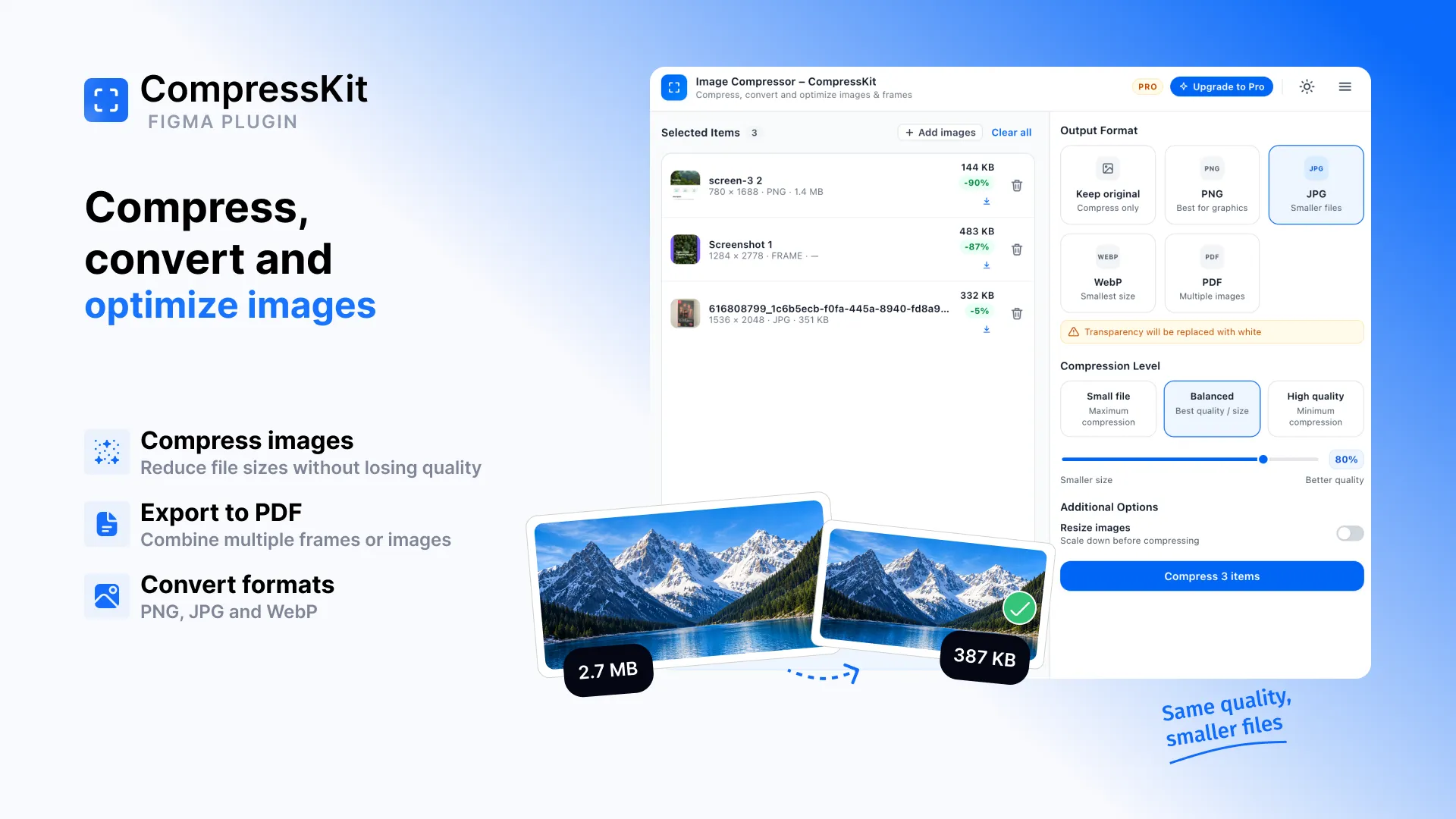
CompressKit is an image compressor for Figma. Compress, convert and optimize images and Figma frames without leaving Figma — reduce PNG, JPG and WebP file sizes, resize large images and export frames to PDF in a few clicks.
Compress Images Directly in Figma
Design files fill up with heavy assets quickly. A single screenshot or photo exported as PNG can be several megabytes, and a handful of them can make a prototype, website or handoff folder much larger than it needs to be.
The usual fix is a detour: export from Figma, upload the files to an online compression website, download the results, and sometimes convert the format by hand before the image can be used. Then repeat it for every asset and every revision.
CompressKit keeps that workflow inside Figma. Select images or frames on your canvas, or add images from your computer, choose PNG, JPG, WebP or PDF as the output, pick a quality level and download the optimized files. One image or a whole batch — it's the same single run.
Image processing happens locally in the plugin, so your images are not uploaded to our servers for compression. Every feature is available from the start with 5 free compression runs.
Key Features
- Image CompressionReduce image file size directly in Figma while keeping control over quality.
- PNG, JPG & WebP ConversionConvert images between PNG, JPG and WebP — or keep the original format — without leaving the plugin.
- Batch CompressionProcess multiple images and Figma frames in one run instead of handling them one by one.
- PDF ExportCombine multiple images or Figma frames into a single PDF with page size, orientation and Fit or Fill controls.
- Resize Large ImagesSet a maximum width and only images that exceed it are downscaled. Smaller images are never upscaled.
- Local Image ProcessingImage processing happens locally. Images are not uploaded to Code By Nordic servers for compression.
- Quality PresetsStart from Small File, Balanced or High Quality, then fine-tune the quality yourself if needed.
- Individual or ZIP DownloadsDownload each optimized file on its own, or everything from a batch as a single ZIP.
How to Compress Images in Figma
Select your images or frames
Select items directly in Figma or add images from your computer.
Choose your output
Keep the original format or convert to PNG, JPG, WebP or PDF. For PDFs, set page size, orientation and Fit or Fill, and drag pages into order.
Choose compression quality
Use a preset or fine-tune the quality yourself. Optionally set a maximum width to resize large images.
Compress & download
Process the files and download them individually or together as a ZIP.
Why Compress Images Before You Use Them?
Images exported straight from a design tool are often larger than they need to be. They may be saved at full resolution, in a format that doesn't suit the content, or at a quality level no one will notice on screen.
That extra weight adds up. On websites it means more data to load, in prototypes and presentations it makes files heavier to share, and in developer handoff it ends up in repositories and asset folders.
Compressing and resizing images before they leave Figma — and choosing WebP or JPG where it fits — is a simple way to cut unnecessary file size without adding another tool to the workflow.
Pricing
Every feature is included on both plans. Start free, upgrade when you need unlimited runs.
- 5 free compression runs
- Every feature included
- No account required
- Unlimited compression runs
- Every feature included
- Cancel anytime
Purchases and subscriptions are handled securely through Lemon Squeezy.